


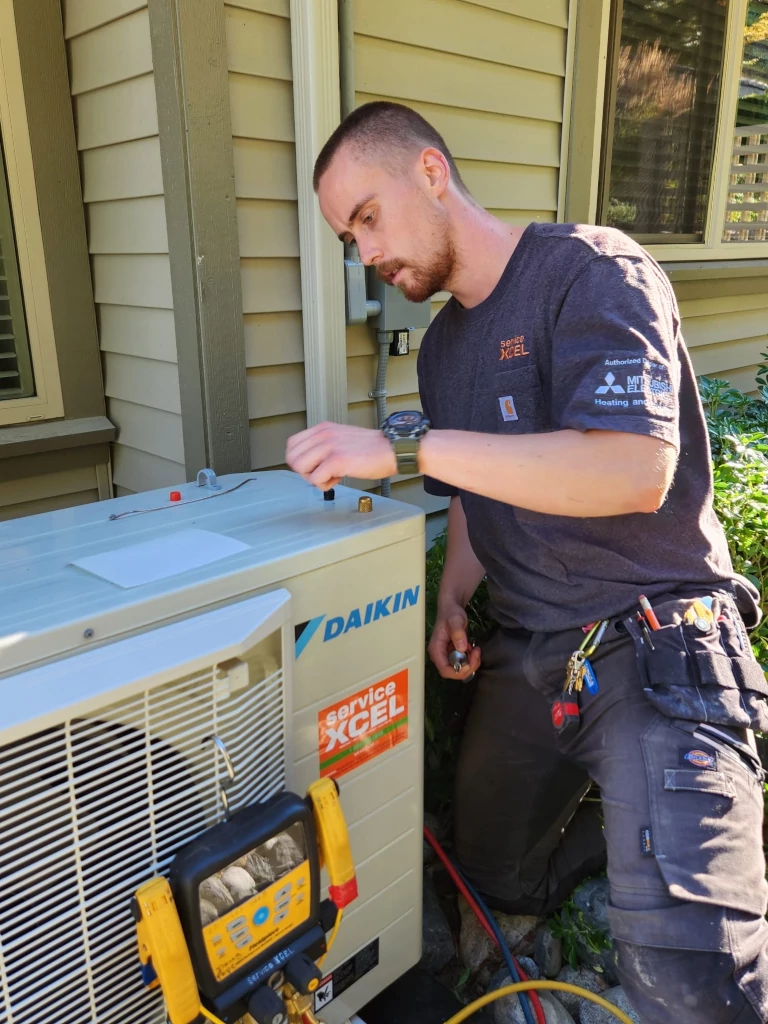
Keep Cool and Protected After Your AC Tune-up
An air conditioning tune-up in Nanaimo is a smart move, especially before a stretch of warm days. A good maintenance visit can clean your system, check safety controls, and help your AC or heat pump run smoothly. But even after a professional tune-up, late-season issues can still show up as temperatures swing, humidity changes, and you switch between heating and cooling.
When that happens, the way you track symptoms can make a big difference. Clear notes, simple photos, and thermostat data help our technicians understand what your system is doing when we are not there. With a bit of easy documentation, we can usually diagnose issues faster, protect your warranty, and support rebate-related claims on future repairs or upgrades.
Why Documentation Matters for Nanaimo Homeowners
Nanaimo’s coastal climate is great for ocean views, but it is tough on AC and heat pump systems. Salt in the air, changing humidity, and shoulder-season temperature swings all add stress, especially after a tune-up when the system is settling into a new operating pattern.
Good records help in three key ways:
- They give our technicians a timeline of what happened after your air conditioning tune-up in Nanaimo
- They help separate normal sounds and minor changes from real problems
- They back up your story if a manufacturer or rebate program asks for proof of consistent maintenance
For example, it is normal for a system to sound a bit different right after a cleaning or adjustment. But if you log that the noise is getting louder, or the system is short cycling more often, we know it is not just normal settling.
On the warranty side, manufacturers and rebate programs often ask for:
- Proof of regular service
- Dates of tune-ups and repairs
- Clear descriptions of problems and when they started
When you work with ServiceXCEL on maintenance plans and tune-ups, your own notes and photos support our records. Together, they help show that you have cared for your system properly if a warranty or rebate question comes up.
How to Build a Simple AC Symptom Log
You do not need a fancy app. A notebook on the kitchen counter or a simple note on your phone is enough. The key is to write things down the same way every time so patterns are easy to spot.
A basic log entry can include:
- Date and time
- Indoor temperature and how it feels (too warm, too cold, drafty)
- Outdoor conditions (hot, cool, damp, very windy)
- What was happening in the home (cooking, laundry, showers, guests)
- The exact symptom you noticed
Common things to log after an AC tune-up include:
- New or changing noises, like rattling, buzzing, or high-pitched sounds
- Short cycling, where the system turns on and off more often than it used to
- Rooms that are now warmer or cooler than others
- New smells, such as musty, chemical, or burning odours
- Air that feels damp, sticky, or less comfortable than before
Be as specific as you can. For example, instead of writing “noisy,” try “rattling sound from outdoor unit for 10 minutes after starting, during a cool, rainy evening.”
Consistency is more important than perfection. Even if a symptom disappears, write it down each time it shows up. Over a week or two, your log can reveal patterns our technicians can match to typical AC or heat pump issues.
Using Photos and Videos to Capture Hidden Clues
Your phone camera is one of the best tools you have between service visits. Photos and short videos help us see what you are seeing when the problem happens, especially when it is on and off.
Helpful images include:
- Close-ups of your thermostat screen or smart thermostat display
- Supply vents and return grilles, especially if there is dust buildup or staining
- The outdoor unit and the ground around it
- Any visible frost or ice on lines or coils
- Drain lines, pans, or nearby flooring if you notice moisture
- Error codes, blinking lights, or unusual indicators on indoor or outdoor equipment
A few quick tips:
- Turn on lights or open blinds so photos are bright and clear
- Take one wide shot to show where the unit is, then a close-up of the issue
- Include something common in the frame (a shoe, a pen) for size reference
- Never remove panels or covers; leave that part to a technician
When you share these images ahead of a visit, we can often narrow down likely causes and try to bring any parts we might need. That can reduce delays and cut down on return trips.
Saving Thermostat and Smart Home Data
Many modern thermostats and smart home systems keep helpful data in the background. They track temperature trends, how often your system runs, and sometimes basic alerts. All of this can point to hidden problems that show up after a tune-up.
Helpful thermostat data includes:
- Screenshots of temperature graphs over a day or two
- Any warning messages, alerts, or error codes
- Fan mode settings (auto, on, or circulation)
- Your regular heating and cooling schedule
- Setback settings, like how much you raise or lower the temperature at night or when you are away
It also helps to jot down how you actually use your system. For example, note if you often change settings manually, or if someone at home prefers it much cooler or warmer.
When we see your thermostat data along with your symptom log, we can tell more easily if:
- The issue is a programming or schedule problem
- The fan is set to a mode that does not match how you want to use your home
- There might be an airflow issue or equipment problem causing long run times or uneven cooling
This saves guesswork and helps us focus right away on either the controls or the equipment itself.
When to Call and What to Share First
Some AC and heat pump problems can wait for a regular appointment. Others need fast attention to protect your comfort and your equipment.
Red-flag symptoms that should be treated as urgent include:
- Burning, electrical, or very sharp chemical smells
- Breakers tripping when the system runs
- Frequent system shutdowns or failure to start
- Ice or heavy frost on the outdoor unit or refrigerant lines
- Water pooling around indoor equipment or staining ceilings and walls
- Loud banging, grinding, or screeching noises
When it is time to book a visit in Nanaimo or nearby, it helps to have a few things ready:
- Your symptom log, even if it is just a few days long
- Recent photos or short videos of the problem
- Thermostat screenshots or a quick summary of your settings and schedule
- The date of your last air conditioning tune-up in Nanaimo
- Any maintenance plan details you have on hand
The more clearly we can see the story of your system, the quicker we can narrow down what is going on. Thorough documentation can reduce the time we spend diagnosing, cut the chance of repeat visits, and make it easier to support warranty discussions or rebate applications if a repair or upgrade is recommended.
Turning AC Notes Into Long-Term Comfort and Savings
Treat your logs, photos, and thermostat records as part of caring for your home, just like cleaning gutters or checking smoke alarms. Each cooling season, and especially after any air conditioning tune-up in Nanaimo or major repair, make documentation a habit.
When you pair simple records with a regular maintenance plan from ServiceXCEL Heating, Cooling & Plumbing, you help keep your system covered, your comfort steady, and your energy use more predictable. Our team can review your notes, explain what patterns mean, and use that information to keep your AC or heat pump running at its best before the next heat wave arrives.
Keep Your Home Comfortable With a Reliable AC Tune-Up
If your system is due for its seasonal check, now is the ideal time to book an air conditioning tune-up in Nanaimo with ServiceXCEL Heating, Cooling & Plumbing. Our licensed technicians will inspect, clean and fine-tune your equipment so it runs efficiently and reliably when you need it most. Ready to schedule or have a question about your system? Simply contact us and we will help you find a convenient appointment time.